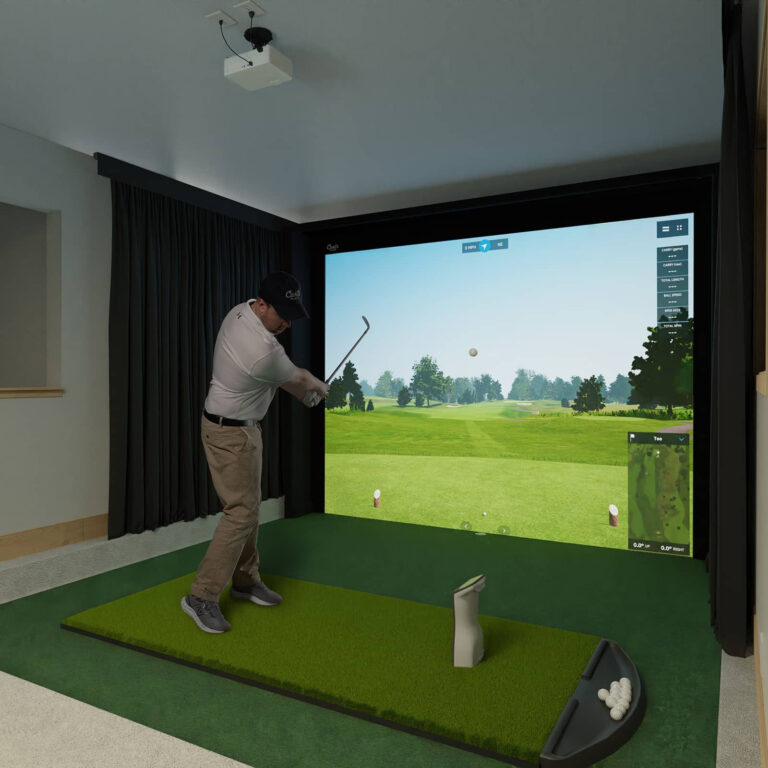
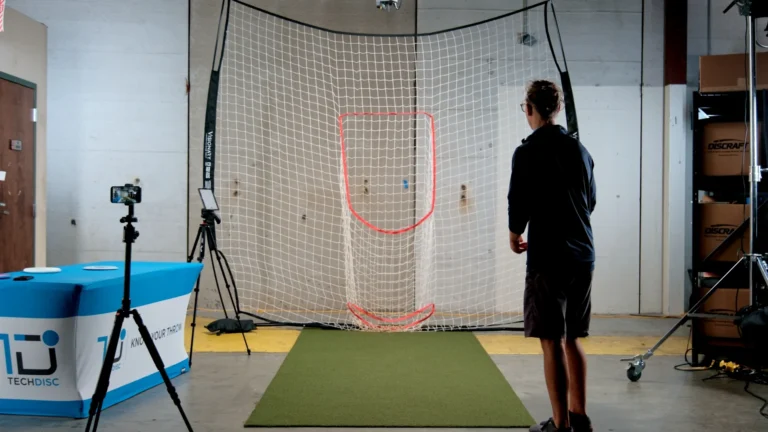
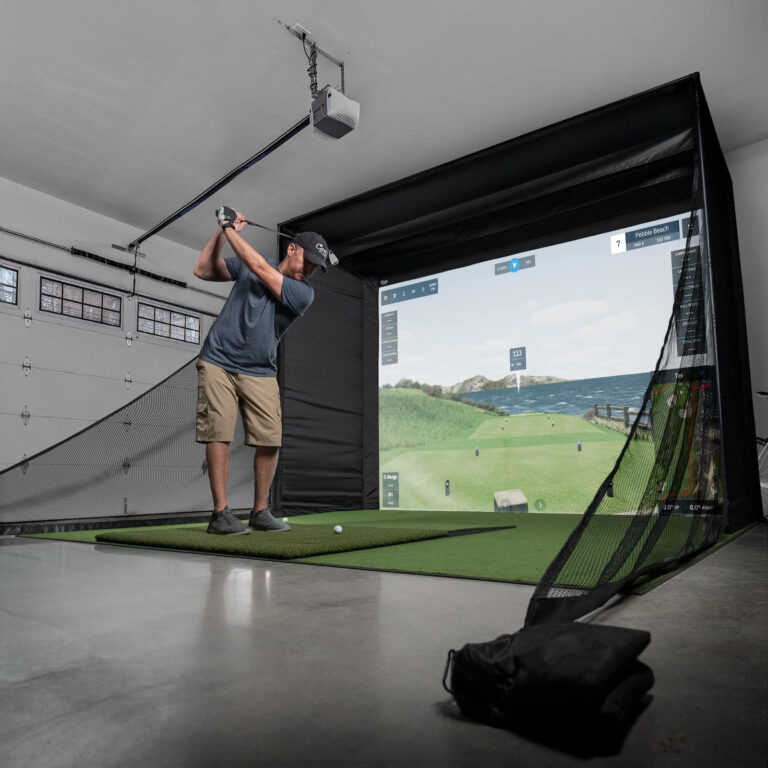
You don’t need a massive buildout to bring Link indoors. Tell us what kind of space you have, what you want people to do there, and how you plan to use it. We’ll point you toward the setup that makes the most sense.
The builder
Answer a few questions.
In less than a minute, get matched with a recommended Link setup based on your space, your audience, and your goals.
Important! JavaScript files for Stylish Cost Calculator didn't fully load.
Most of the time, a cache or JS optimizer plugin causes this.
Step 1: Your Space
Tell us about your available space so we can recommend a setup that fits your business environment.
1111
1111
1111
1111
Please choose an
option!
Previous
Next
Important! JavaScript files for Stylish Cost Calculator didn't fully load.
Most of the time, a cache or JS optimizer plugin causes this.
Step 2: Environment
Tell us where your simulator will live so we can guide you toward the right setup and use case.
Please choose an
option!
Previous
Next
Important! JavaScript files for Stylish Cost Calculator didn't fully load.
Most of the time, a cache or JS optimizer plugin causes this.
Step 3: Display
Choose the environment where your simulator will be installed. This helps us recommend the right format for guest experience, flexibility, and long-term use.
11111
Please choose an
option!
Previous
Next
Important! JavaScript files for Stylish Cost Calculator didn't fully load.
Most of the time, a cache or JS optimizer plugin causes this.
Step 4: PC SituationSection title
Let us know what equipment you already have so we can recommend the right next step for your setup.
0
0
0
0
Please choose an
option!
Recommended PC Specs:
RTX 3060 or GTX 1660 Ti
10th/11th Gen i5
Bluetooth 5.0 adapter
Previous
Next
Important! JavaScript files for Stylish Cost Calculator didn't fully load.
Most of the time, a cache or JS optimizer plugin causes this.
Step 5: Install Type
Choose how permanent you want your setup to be based on your space and how often it needs to move.
11111
Please choose an
option!
Previous
Next
The price must be at least0.Please interact with any of the choices available above.
You’ll want enough room for the throw, the net or screen, and people nearby. A flexible Link setup can work in roughly an 8′ × 15′ footprint depending on the layout.
Net or Enclosure
Start simple with a training net or build a more complete bay experience with a larger enclosure.
Windows PC + Internet
Link Disk Golf requires a Windows PC or laptop with internet access.
TV or Projector
Connect to an existing screen or build a more immersive setup with a projector and mount.
Smart Disc / Sensor
The smart disc connects the physical throw to the digital experience.
Subscription / Licensing
Commercial setups may require software access, subscription, or licensing depending on the use case.
Built For More Than One Kind of Space
Drop It In. Move It Around. Bring People Back.
Link Disk Golf is built for spaces that need flexibility. Restaurants can activate slower nights. Resorts can add a memorable guest experience. Retailers can give customers a reason to test, play, and stay longer. Teams can trade the usual outing for something more interactive.
Restaurants & Breweries
Turn slow nights into something people plan around.
Hospitality & Resorts
Give guests an experience they can remember, share, and come back to.
Retail Storefronts
Let customers test, play, and engage with products in-store.
Team Building
Create a social, interactive experience without needing a traditional sports facility.
Events & Pop-Ups
Bring Link into temporary spaces, community events, and special activations.
FAQ
Build Your Simulator FAQ
How much space do I need for a Link setup?
A flexible setup can work in roughly an 8′ × 15′ footprint, depending on your layout, net, display, and spectator space.
Do I need a permanent buildout?
No. Link can be portable and flexible, which makes it easier for restaurants, venues, retail spaces, and event organizers to use the space when they need it and clear it when they don’t.
Do I need a Windows PC?
Yes. The current setup notes list a Windows PC or laptop with internet access as part of the recommended requirements.
Can Link work for businesses and home users?
Yes. The page should guide both audiences, but the CTAs should separate them: home users go toward products, while businesses go toward pricing or a consultation.
Ready to see what fits?
Start with your space. Leave with a clearer path to the right Link setup.